Products & services, rebuilt around your margins
 Platy teamPublished
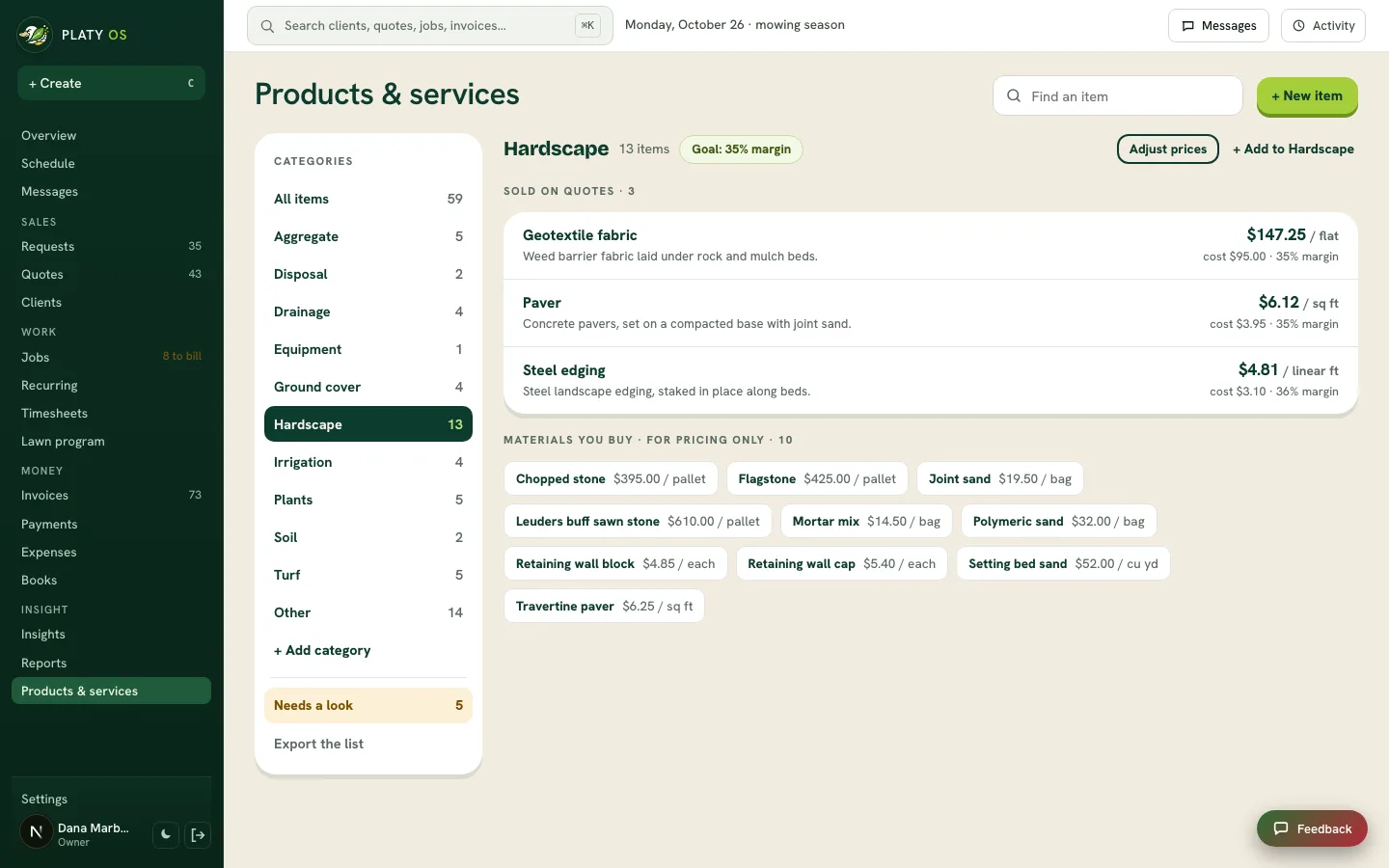
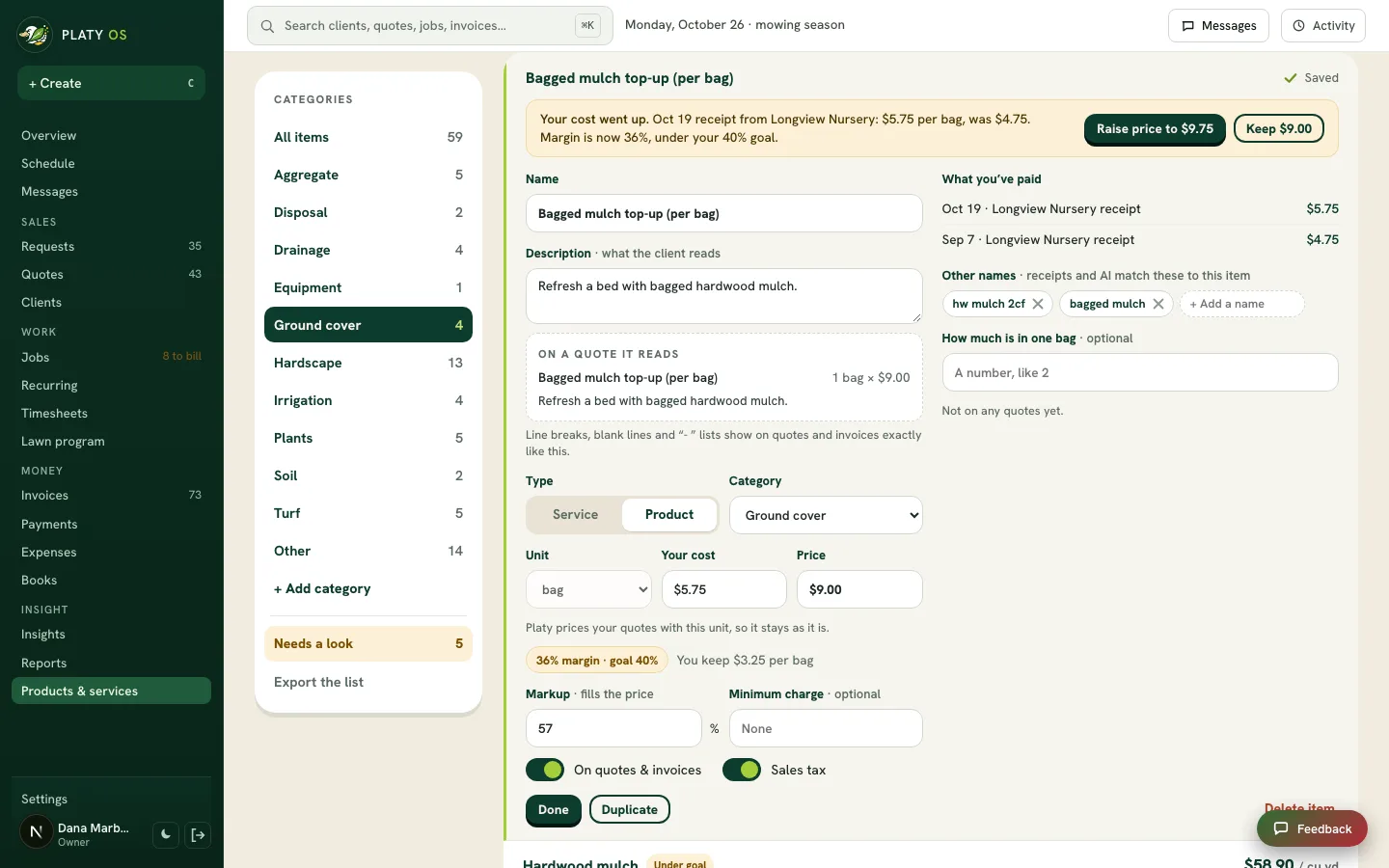
 Products & services in Platy OS is now one list in your own categories, showing what each item costs you, what you charge and your margin. Each category starts with a margin goal from your own prices, and Platy tells you when a cost goes up.
 Open the picture full size
 Open the picture full size
What changed
- Everything you sell and buy in one list, sorted into your own categories, with each item's unit, cost, price and margin
- Each category starts with a margin goal from your own prices, and you can adjust a whole category's prices in one step
- Build a service from its materials and crew time, so its cost stays right when prices change
- Picking an item on a quote, an invoice or in the phone app fills the line, and the phone search works with weak signal
- Needs a look lists what changes what you charge: a cost a receipt raised, an item with no unit, a receipt line to match
Common questions
How do I see my margin on each item?
Open Products & services. Every item shows what it costs you, what you charge and the margin.
Can I raise prices for a whole category at once?
Yes. Open the category, click Adjust prices, and bring items up to your margin goal or raise them all by a percent. Quotes you already sent keep their prices.
What happens when my supplier raises a price?
When a receipt shows a higher cost, Platy flags the item and shows the price that keeps your margin goal. You decide whether to raise it.
Does picking an item on a quote fill in the unit?
Yes. It fills the description exactly as you typed it, the unit, the price and your cost. Your cost never shows to the client.
Related
On Platy OS
 Try it yourself. 14 days free, then $297 a month.Start free trial