Save your weekly routes, handle rain days and move clients for good
 Platy teamPublished
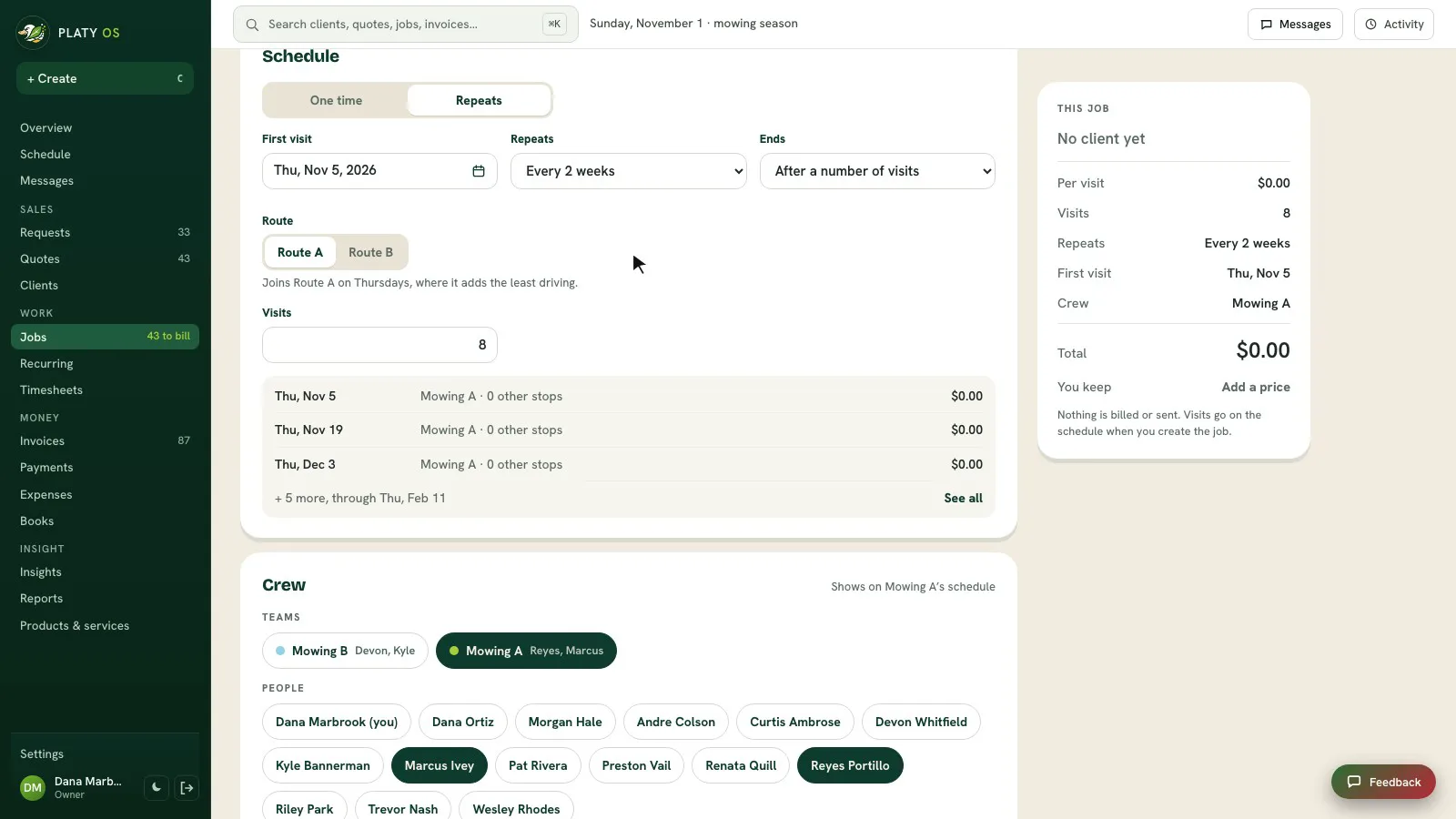
Owners can now save a whole week of routes as Route A and Route B, and Platy opens each of their weeks in the exact order you set. Moving a repeating client asks just this time or from now on, and a Rain day button moves a wet day in one step.
In this video
 Open the picture full size
 Open the picture full size
 Open the picture full size
 Open the picture full size
 Open the picture full size
What changed
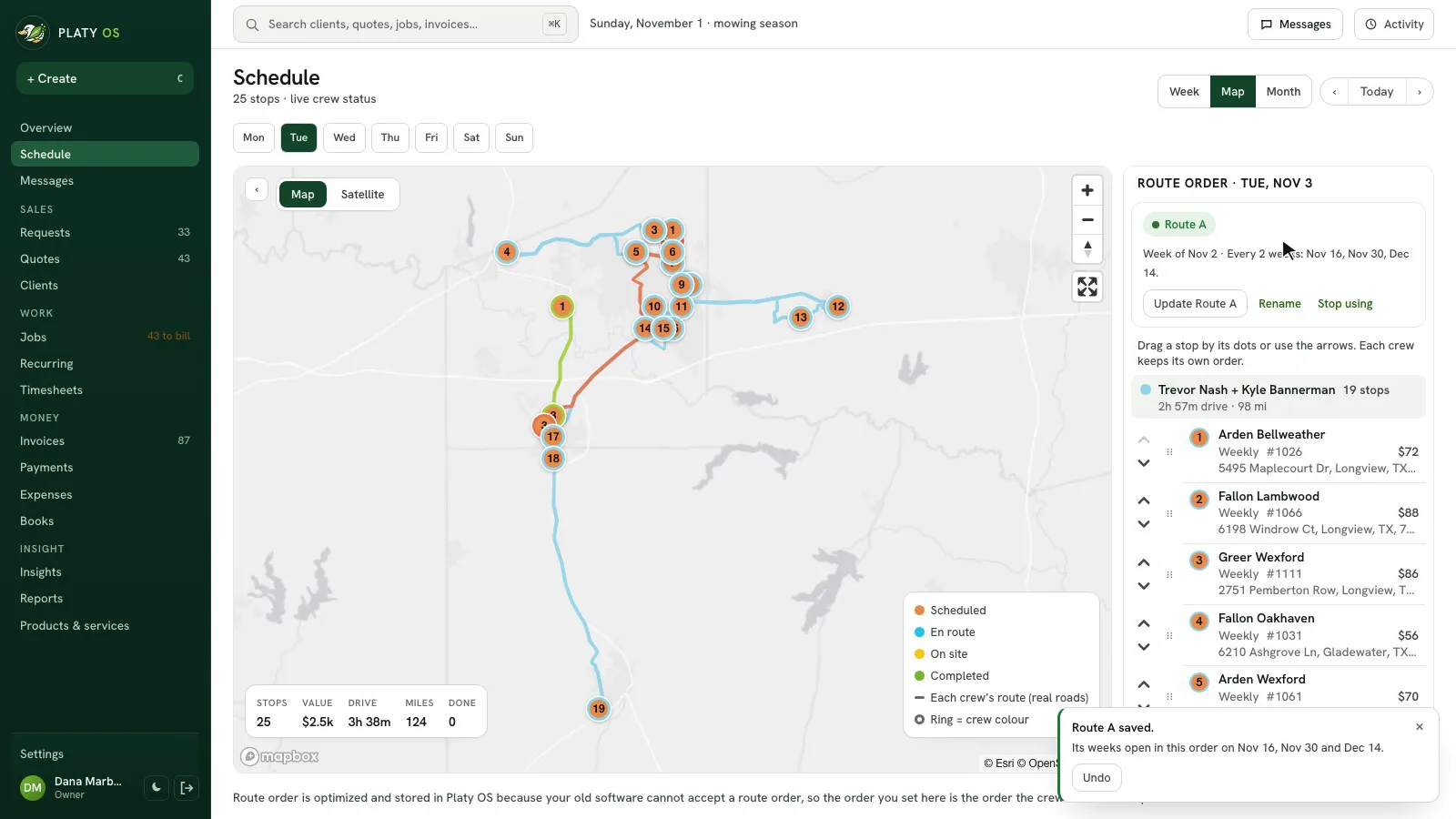
- Save a whole week as Route A, the next as Route B, and Platy takes turns every other week in the exact order you set
- Fixed one day's order? Save this day's route
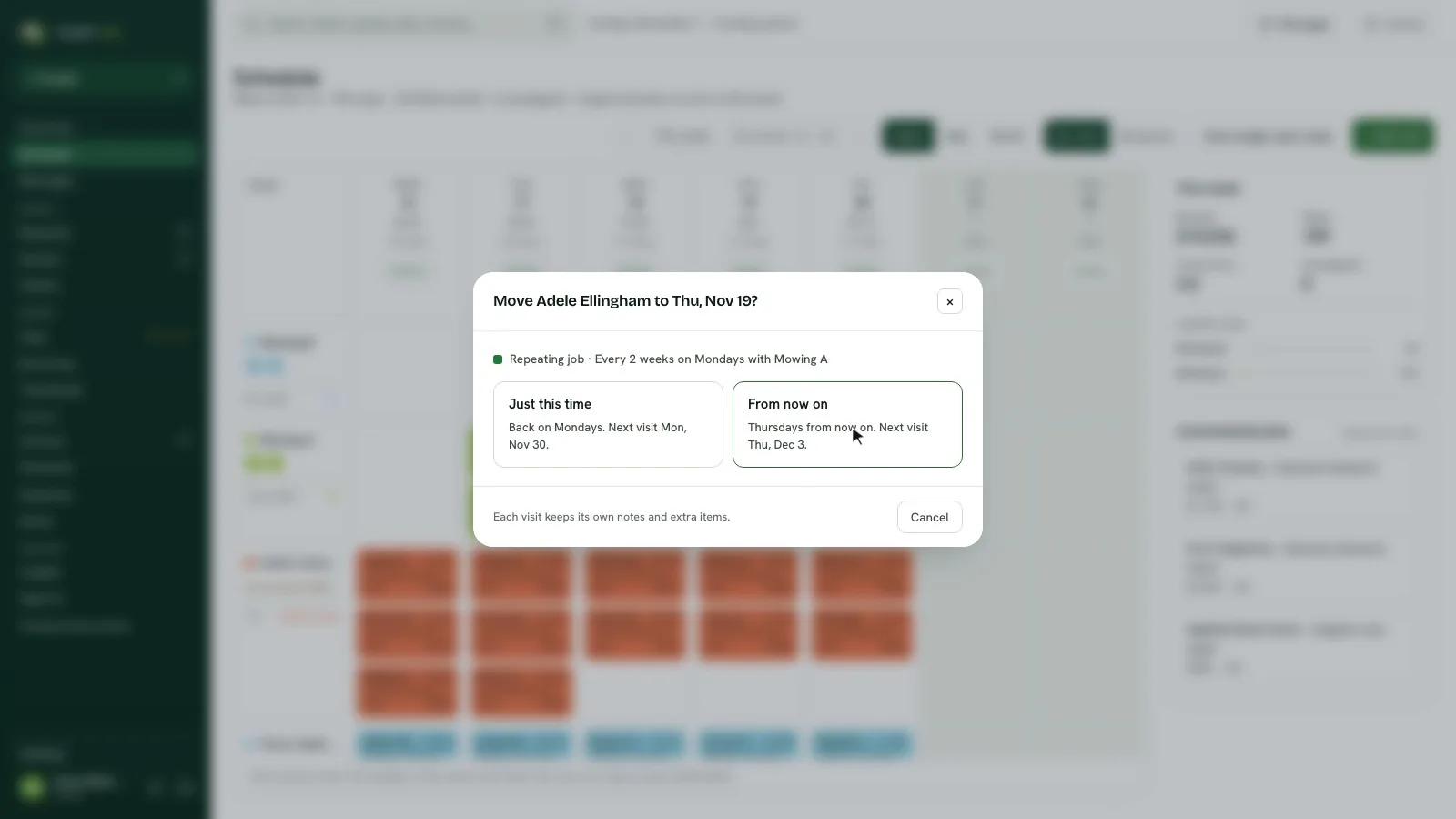
- Moving a repeating client asks just this time or from now on, and every later visit follows when you choose from now on
- A client who moves for good leaves the old route and joins the new one where it adds the least driving
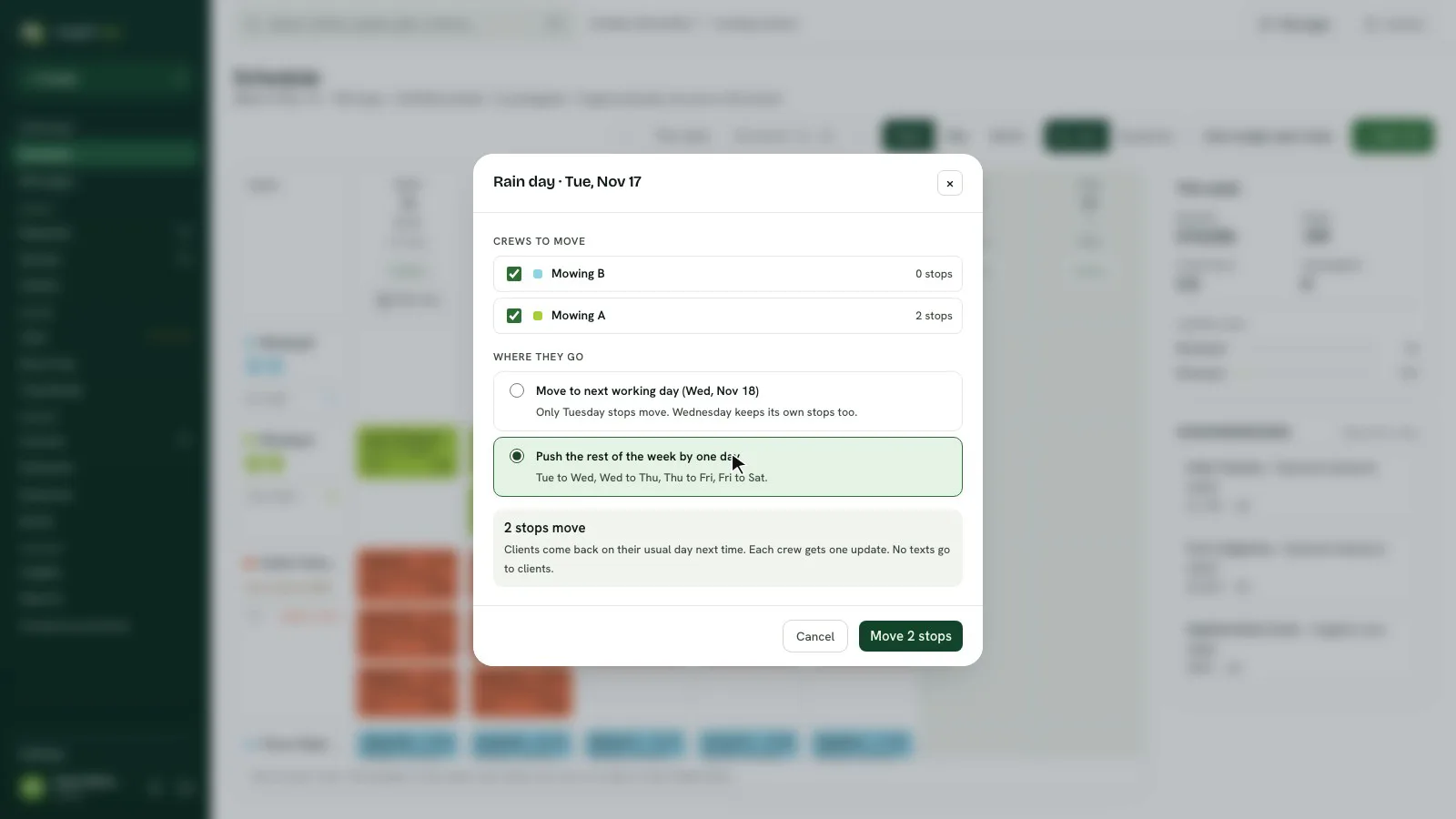
- Rain day moves a wet day to the next working day or pushes the rest of the week, and clients are back on their usual day next time
Coming next
- Books upgrades
Plans, not promises. Things move as we learn.
Common questions
Can I save my mowing route so it repeats every other week?
Yes. Set up the week on the Map the way you like it, press Save this week's route and call it Route A, then save the next week as Route B. Platy opens each of their weeks in the order you saved.
If I move a client to a new day, does it change all their visits?
Platy asks first. Just this time moves only that visit, and from now on moves every later visit to the new day with its notes. You can undo either one.
What does Rain day do?
It moves a rained-out day's stops to the next working day, or pushes the rest of the week by one day. Clients go back to their usual day next time, and each crew gets one update.
Does my client get a text when I move them?
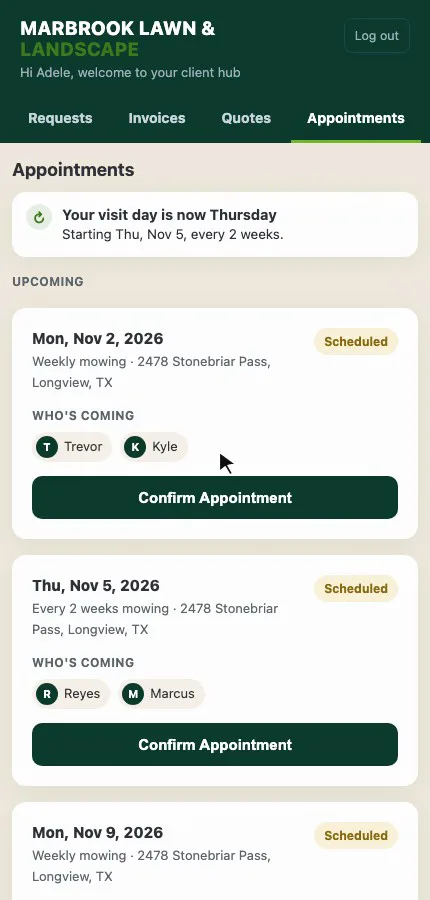
Nothing is sent on its own. Their portal shows the new day and asks them to confirm it, and you can choose to text them the new day.
Related
On Platy OS
 Try it yourself. 14 days free, then $297 a month.Start free trial