Shipped
Bring your clients over from Jobber
 Platy teamPublished
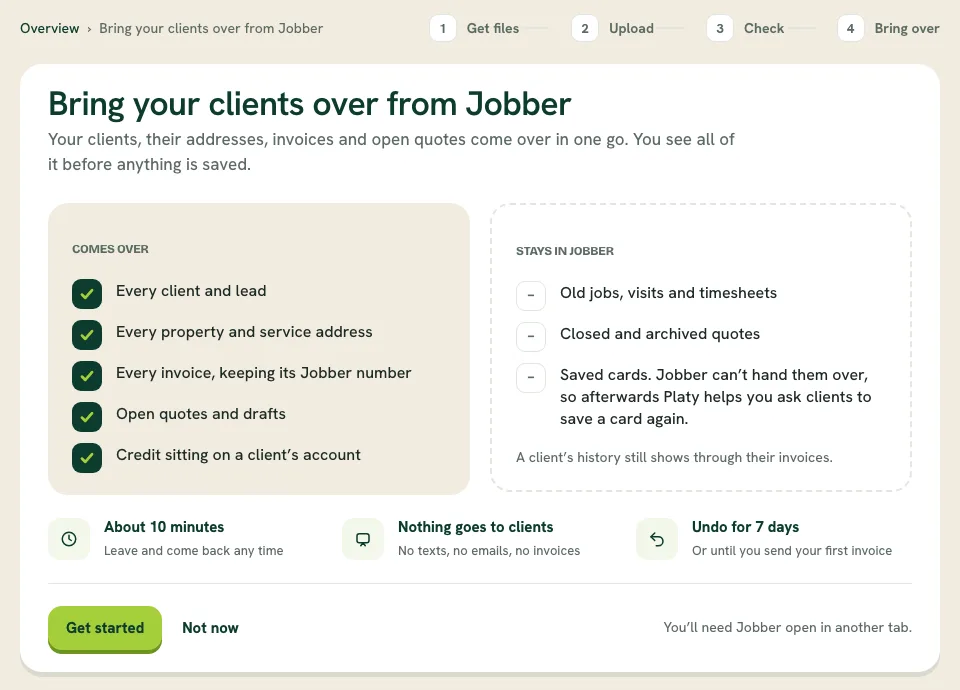
 Switching from Jobber? Platy can now bring over your clients, their properties, invoices and open quotes in one go. You see everything before it is saved, nothing is sent to your clients, and you can undo it for 7 days.
 Open the picture full size
What changed
- Settings › Import data walks you through getting your files out of Jobber
- Every client, lead, property and invoice comes over, plus open quotes and drafts
- Check every row before anything is saved
- Nothing is texted or emailed to your clients
- Undo the whole import for 7 days, or until you send your first invoice
WhereSettings › Import data
Who it's forOwners and new companies
Anything to do?Open Settings › Import data and click Bring over from Jobber.
Common questions
Can I move my clients from Jobber to Platy OS?
Yes. Open Settings › Import data and click Bring over from Jobber. Clients, properties, invoices and open quotes come over in one go.
Will my clients get a message when I import?
No. Nothing is texted or emailed to anyone during an import.
Can I undo an import?
Yes, for 7 days, or until you send your first invoice from Platy.
What stays in Jobber?
Old jobs, visits and timesheets, closed quotes and saved cards. Platy helps you ask clients to save a card again.
Related
On Platy OS
 Try it yourself. 14 days free, then $297 a month.Start free trial