Shipped
Invoice a whole day of visits from your phone
 Platy teamPublished
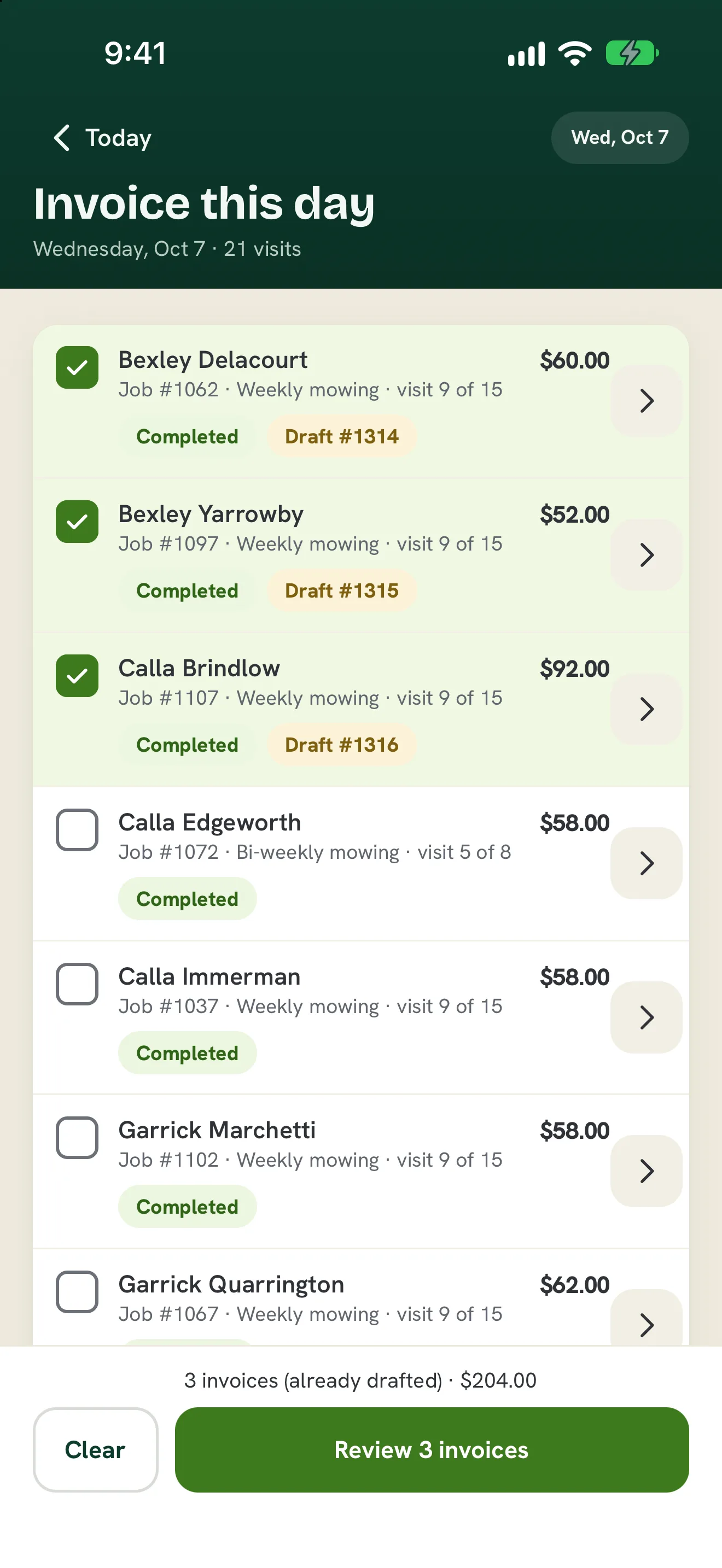
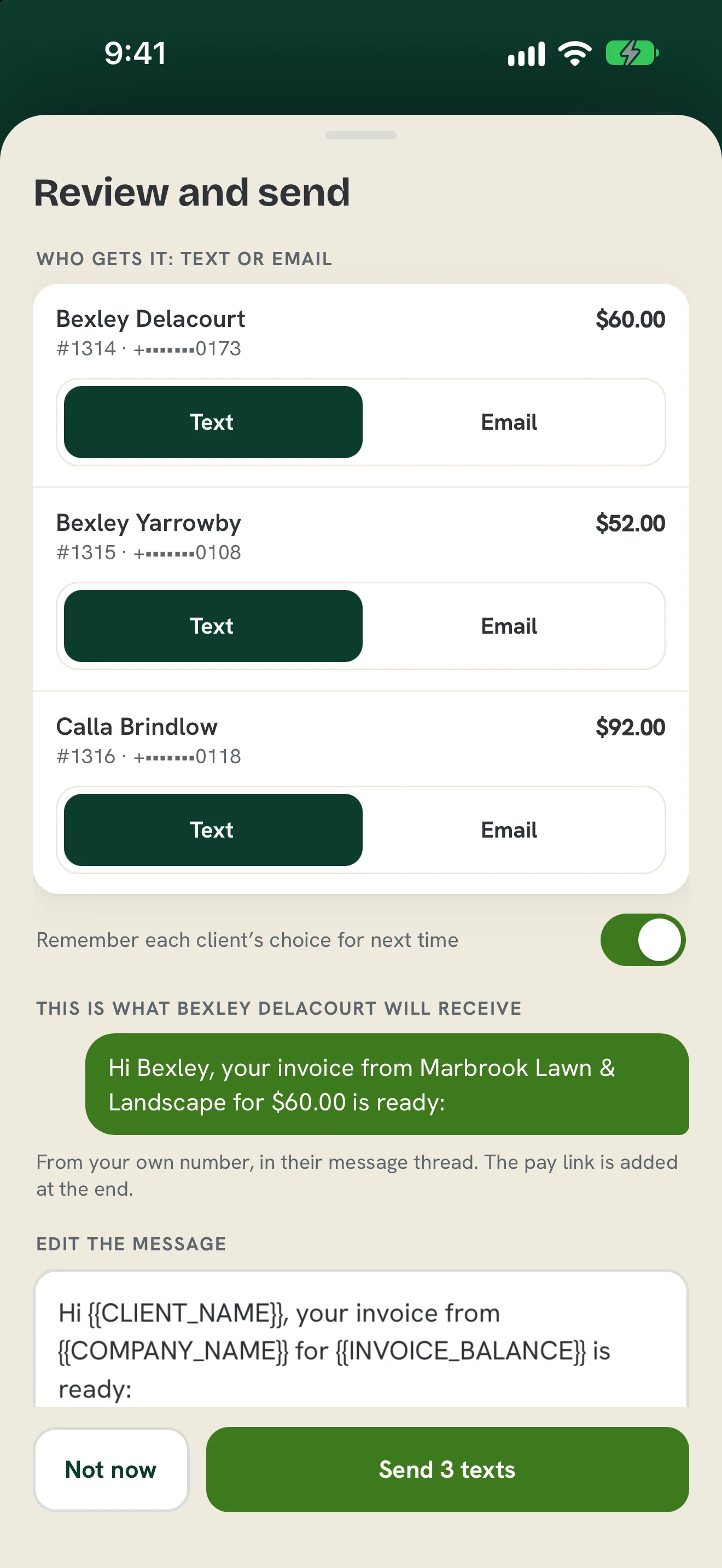
 Owners can now invoice a whole day of visits from the Platy phone app. Tick the visits, make the invoices, and text or email them to each client in one go.
 Open the picture full size
 Open the picture full size
What changed
- On Today, tap Invoice this day to see every visit that day
- Tick the visits you want and tap Create to make one invoice per job
- Invoices already sent stay locked at the top, so nothing goes out twice
- Pick text or email for each client, edit the message and see exactly what they will get
- Charge a card on file as the invoice goes out
WhereToday › Invoice this day
Who it's forOwners
Anything to do?Update the Platy app from the App Store.
Common questions
Can I invoice a whole day of visits from my phone?
Yes. On Today, tap Invoice this day, tick the visits you want, then tap Create. Platy makes one invoice per job.
Can I choose text or email for each client?
Yes. On Review and send, pick Text or Email for each client. Turn on Remember and Platy uses the same choice next time.
Can I change the message before it sends?
Yes. Edit the message, add details like the client's name or the amount, and see a preview before you send. You can save it as your own wording.
Can I charge a card on file at the same time?
Yes. If a client has a card saved, tick it and Platy charges it as the invoice goes out.
Related
On Platy OS
 Try it yourself. 14 days free, then $297 a month.Start free trial