Fixed
Item descriptions show exactly as you typed them
 Platy teamPublished
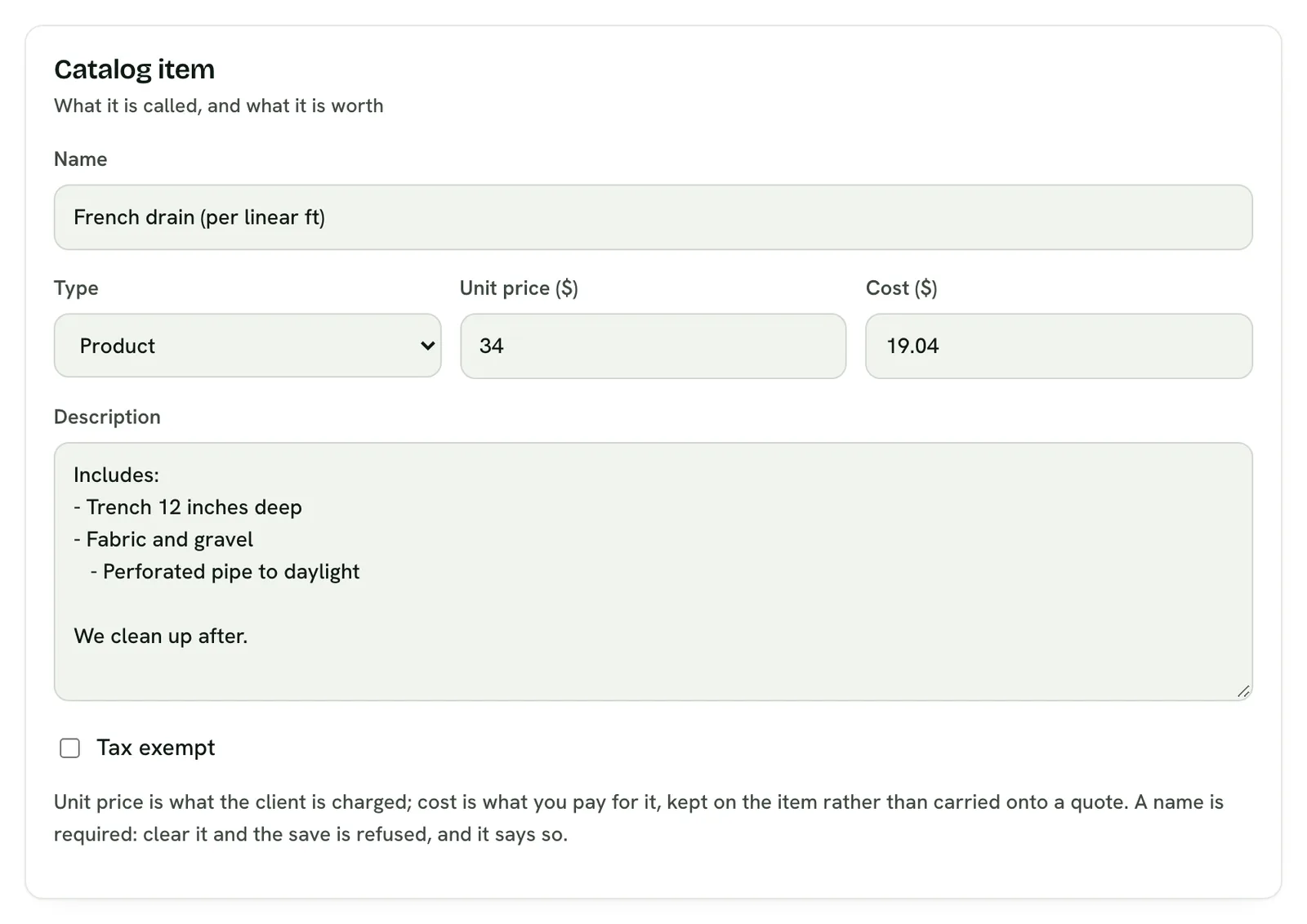
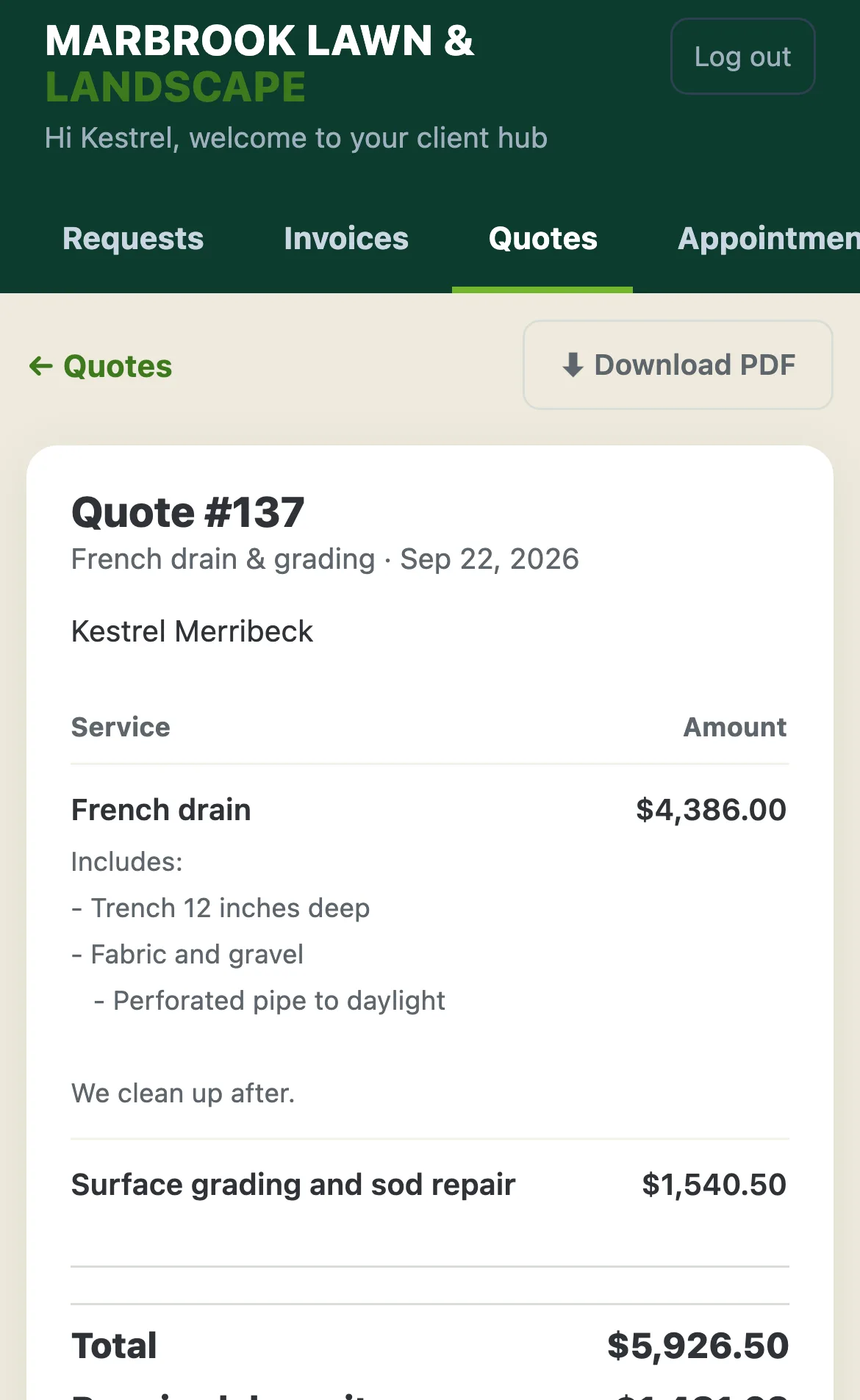
 The description you type on an item in Products & services now reads the same on every quote and invoice that uses it, on your client's pages and on the PDF: the same line breaks, dashes and indents.
 Open the picture full size
 Open the picture full size
What changed
- An item's description is tidied the same way a quote line is, so the item and the quote read the same
- An indented line keeps its indent on your client's quote and invoice pages
- Line breaks, blank lines and dashes come through the same on the PDF
WhereProducts & services
Who it's forOwners
Anything to do?Nothing. It's live. An older item is tidied the next time you save it.
Common questions
Will my bullet points show on my client's quote?
Yes. Start a line with a dash or a bullet and it shows as a dash on the item, the quote, the invoice and the PDF.
Does editing an item change quotes I already made?
No. Quotes and invoices you already made keep their wording. Editing an item changes the quotes you make after that.
Do I need to redo my old items?
No. An older item is tidied the next time you save it, and nothing already sent changes.
Related
On Platy OS
 Try it yourself. 14 days free, then $297 a month.Start free trial