Shipped
Build your own request forms and share them anywhere
 Platy teamPublished
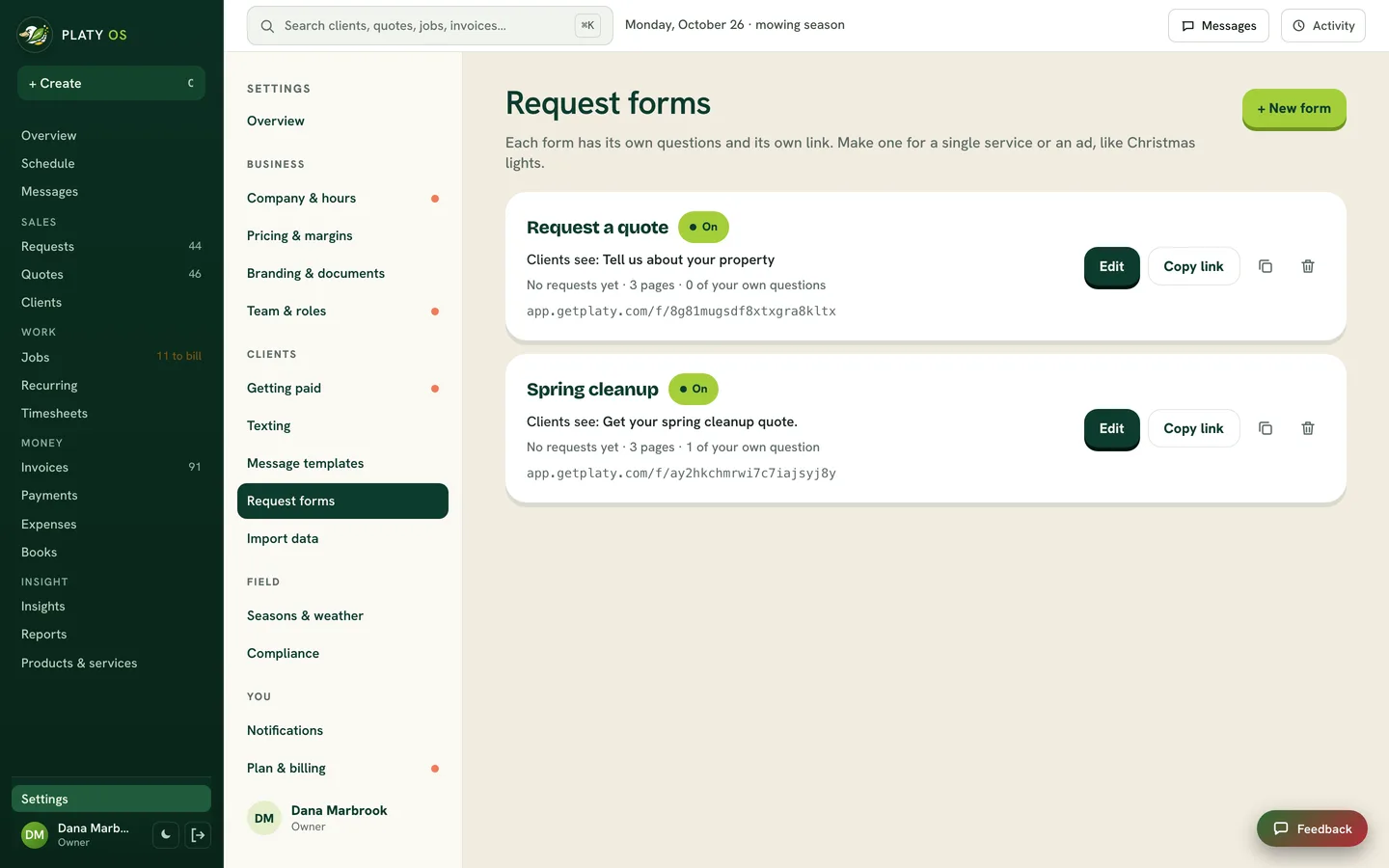
 Owners can now build their own request forms in Platy OS: ask your own questions, drag them into order, and share the form as a link, a QR code or right on your website. Every request lands in Requests, ready to quote.
 Open the picture full size
 Open the picture full size
 Open the picture full size
What changed
- Make a form for each service or ad, up to 20, each with its own link
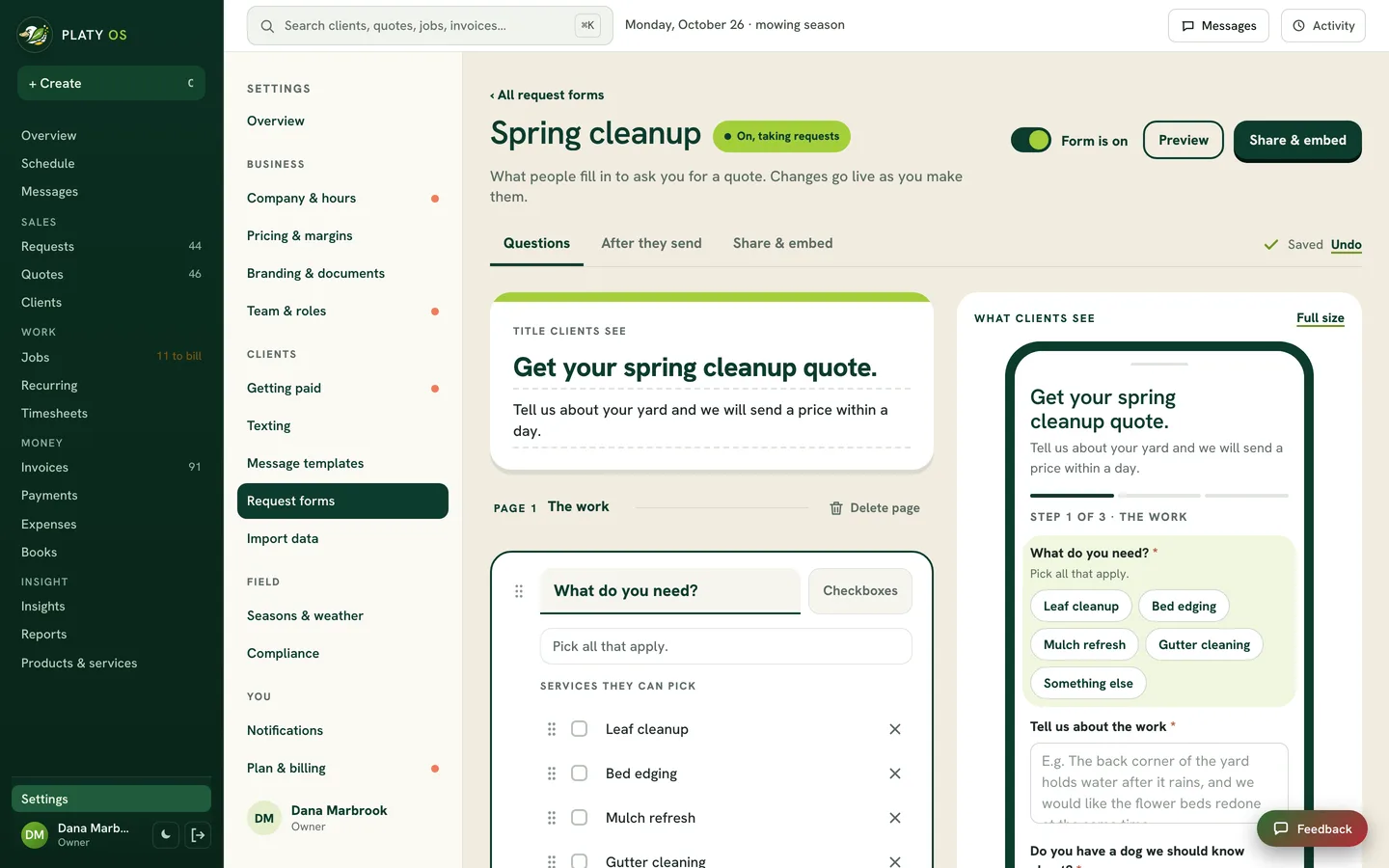
- Add your own questions, reword Platy's, and drag them into order across up to 5 pages
- A live preview shows the form as you edit, and every change saves on its own
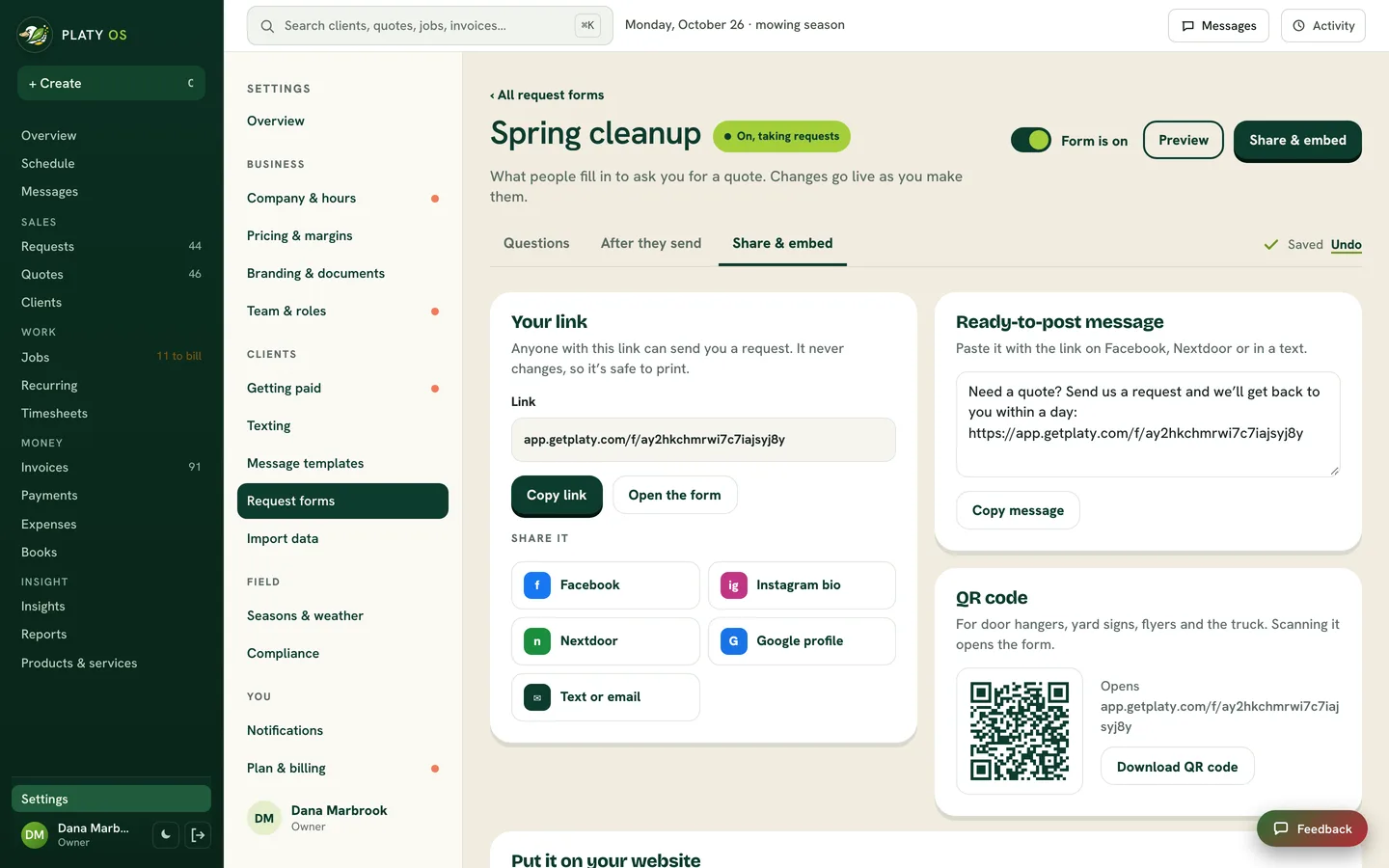
- Share it as a link, a QR code or a ready-to-post message, or put it on your website as a form, a button or a tab
- Your clients get a cleaner form: tap to pick services, a progress bar, and a note under anything they missed
WhereSettings › Request forms
Who it's forOwners
Anything to do?Nothing. The form you have today keeps working, with a cleaner look for your clients. Open Settings › Request forms to add your own questions.
Common questions
Can I add my own questions to my request form?
Yes. Add your own questions in 8 types, reword Platy's, and drag any question to the page you want.
Can I have more than one request form?
Yes. Make a form for each service or ad, like one just for Christmas lights. Each form has its own link.
How do I put my request form on my website?
Open Share & embed, pick a form on the page, a button or a tab on every page, and paste the code once. Changes you make show up on your site on their own.
Does the form text or email my clients?
No. It never messages anyone on its own. Every request lands in Requests with their answers, photos and contact info.
Related
On Platy OS
 Try it yourself. 14 days free, then $297 a month.Start free trial