Improved
Click a client's details to copy them
 Platy teamPublished
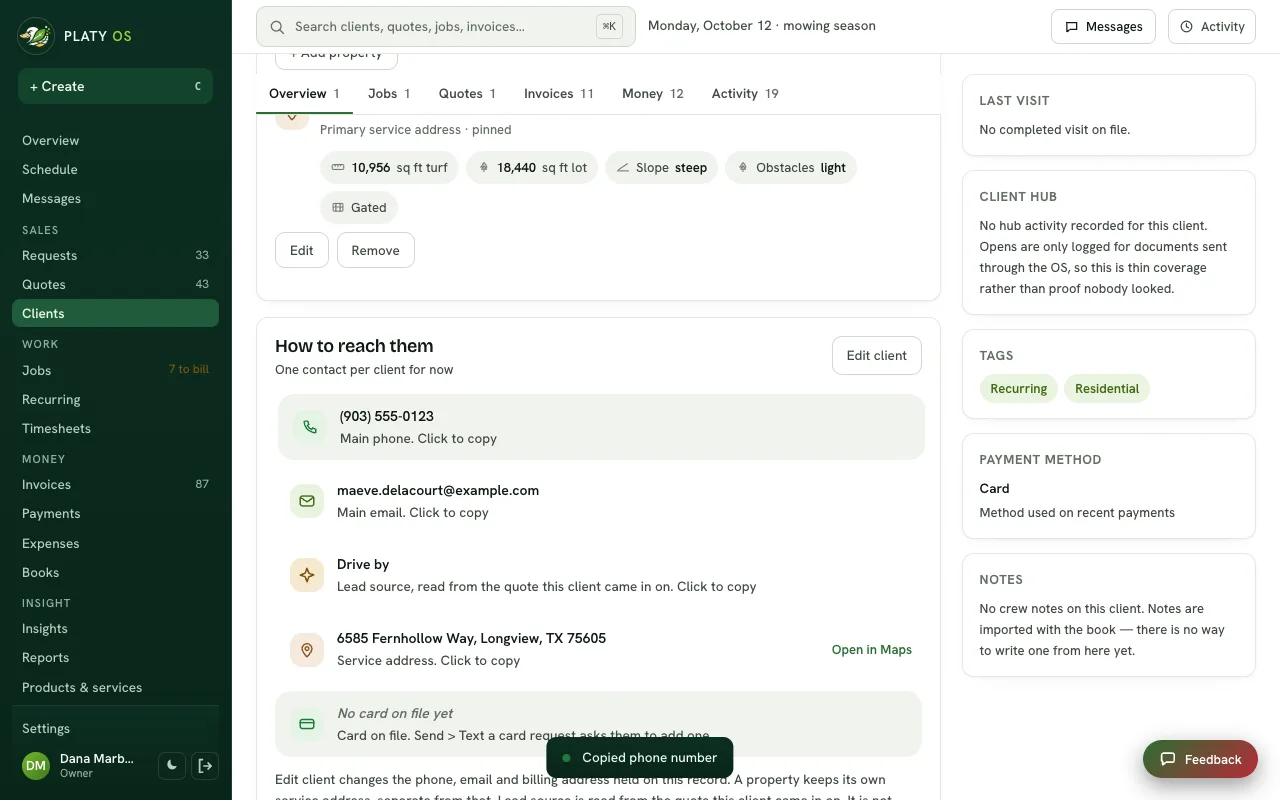
 On a client's page, click their phone number, email, address or other details to copy them, and a small note confirms it. Calling and emailing are still one click away at the top of the page.
 Open the picture full size
What changed
- Click the phone, email, address, lead source or card line to copy it
- A small note says what was copied, or says plainly if your browser blocked it
- The address keeps an Open in Maps link, and the call, text and email buttons stay at the top
WhereClients › a client's page
Who it's forOwners
Anything to do?Nothing. It's live.
Common questions
How do I copy a client's phone number in Platy OS?
Open the client's page and click the phone number in How to reach them. A small note confirms it was copied.
Can I still call or email from the client page?
Yes. The call, text and email buttons stay at the top of the page, and the address keeps an Open in Maps link.
Related
On Platy OS
 Try it yourself. 14 days free, then $297 a month.Start free trial