Improved
Quotes show your logo and the right property
 Platy teamPublished
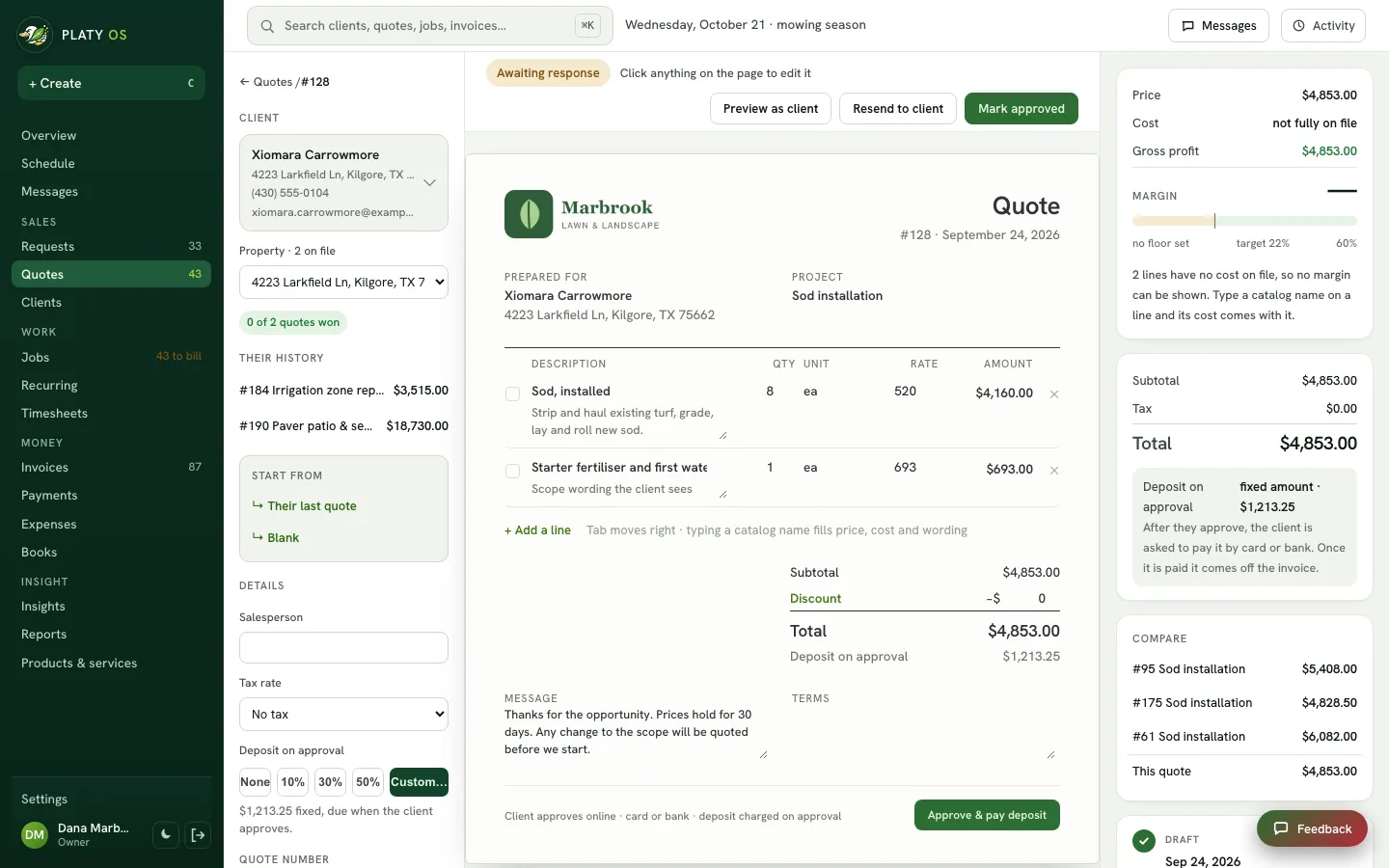
 Quotes now show your company's own logo at the top instead of a placeholder. For a client with more than one property, you pick which one the quote is for, and the job made from it goes to that address.
 Open the picture full size
What changed
- The quote shows your logo from Settings › Branding & profile
- No logo yet? The quote shows a link to add one
- A client with more than one property gets a Property picker on the quote
- The picked address prints on the quote, and the job made from it goes there
WhereQuotes › a quote
Who it's forOwners
Anything to do?Add your logo in Settings › Branding & profile if you have not yet.
Common questions
How do I put my logo on quotes?
Add it in Settings › Branding & profile. Every quote shows it at the top. With no logo on file, the quote shows a link to add one.
Can I choose which property a quote is for?
Yes. When a client has more than one property, the quote has a Property picker. The address you pick prints on the quote, and the job made from it goes there.
Related
On Platy OS
 Try it yourself. 14 days free, then $297 a month.Start free trial