See exactly how much sales tax you charged, for any period
 Platy teamPublished
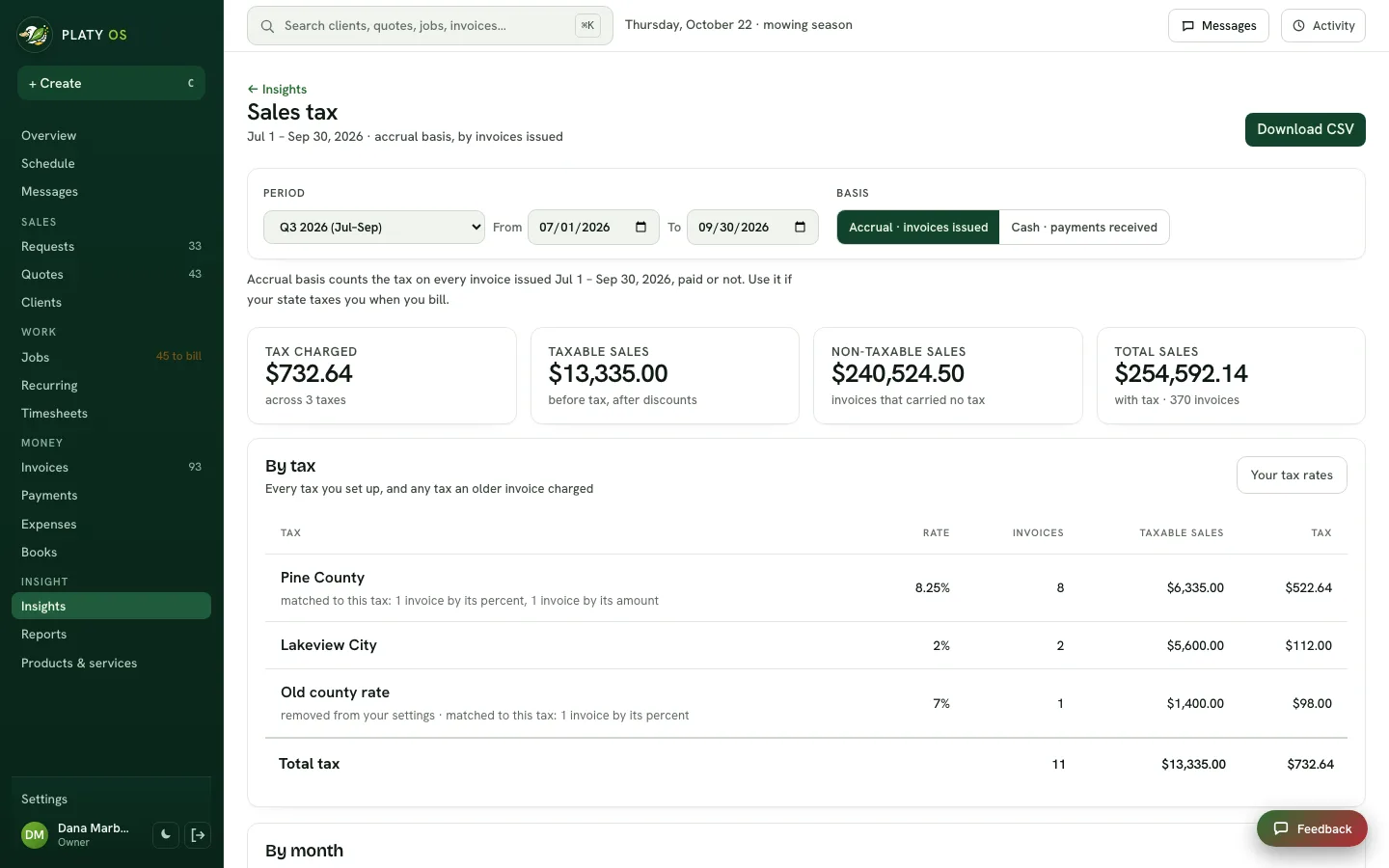
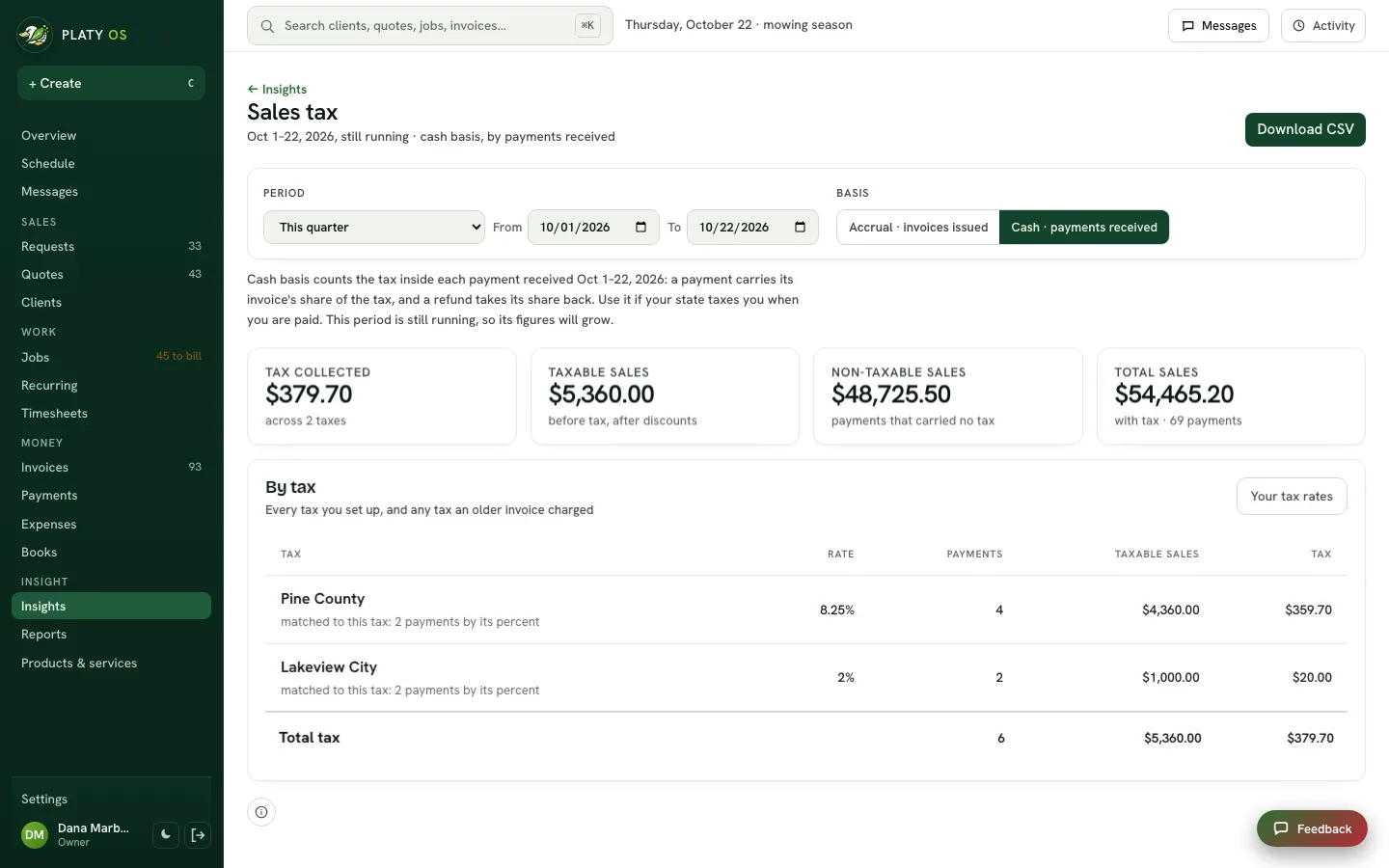
 Owners can now see how much sales tax they charged, broken out by each tax they set up, for any month, quarter or dates they pick. Switch between invoices issued and payments received, then download it for your bookkeeper.
 Open the picture full size
 Open the picture full size
What changed
- Insights has a new Sales tax report, one line for every tax you set up
- Pick this month, last quarter, a past quarter or month, year to date, or your own dates
- Switch between invoices issued and payments received, the two ways states ask for it
- See taxable sales, non-taxable sales and total sales beside the tax, by month too
- Download it as a spreadsheet for your bookkeeper
Common questions
Where do I see how much sales tax I collected?
Open Insights and click Sales tax under More reports, or find it on the Reports page. Pick the period you file for, like last quarter, and it shows each tax with its rate, taxable sales and tax.
Does it show tax on invoices or on payments?
Both. Invoices issued counts the tax on every invoice you sent in the period, paid or not. Payments received counts the tax inside each payment that came in, and takes refunds back out.
Can I give it to my bookkeeper?
Yes. Download CSV gives a spreadsheet with the totals for each tax and every invoice or payment behind them.
What if I charge more than one tax rate?
Each tax you set up gets its own line, even in a period where nothing was charged, so you can see every one you collect.
Related
On Platy OS
 Try it yourself. 14 days free, then $297 a month.Start free trial