Shipped
Send a batch of draft quotes at once
 Platy teamPublished
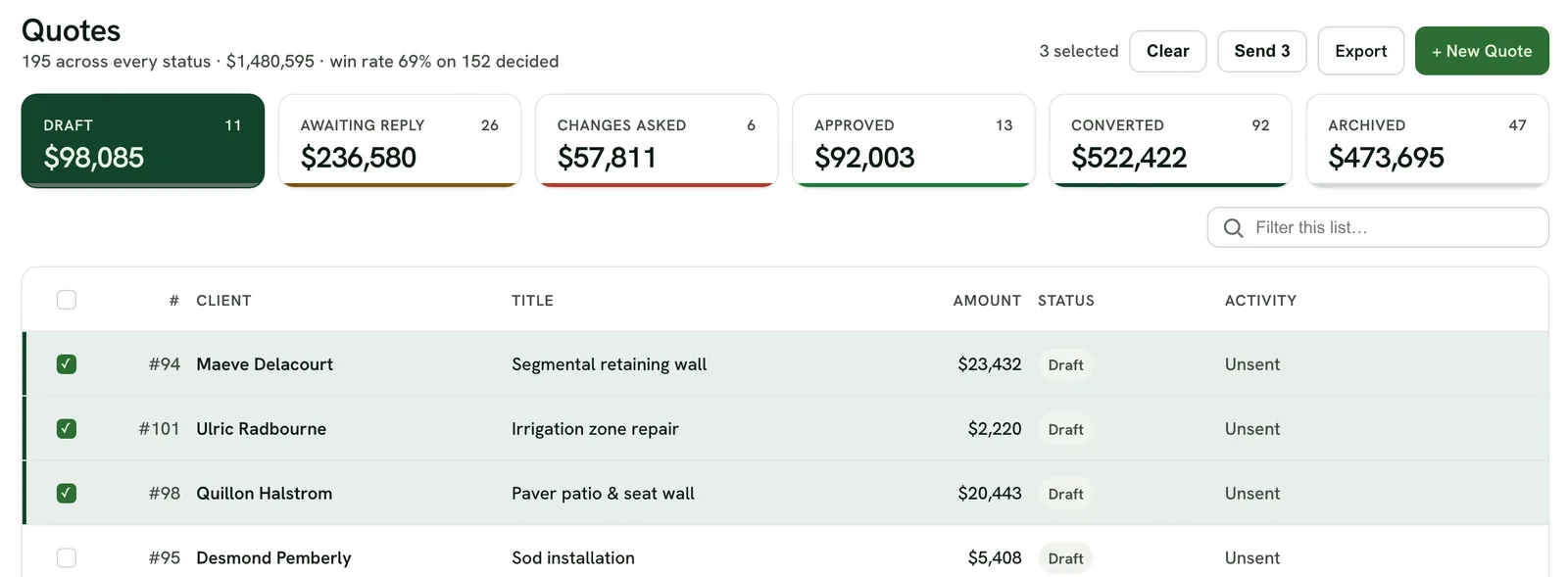
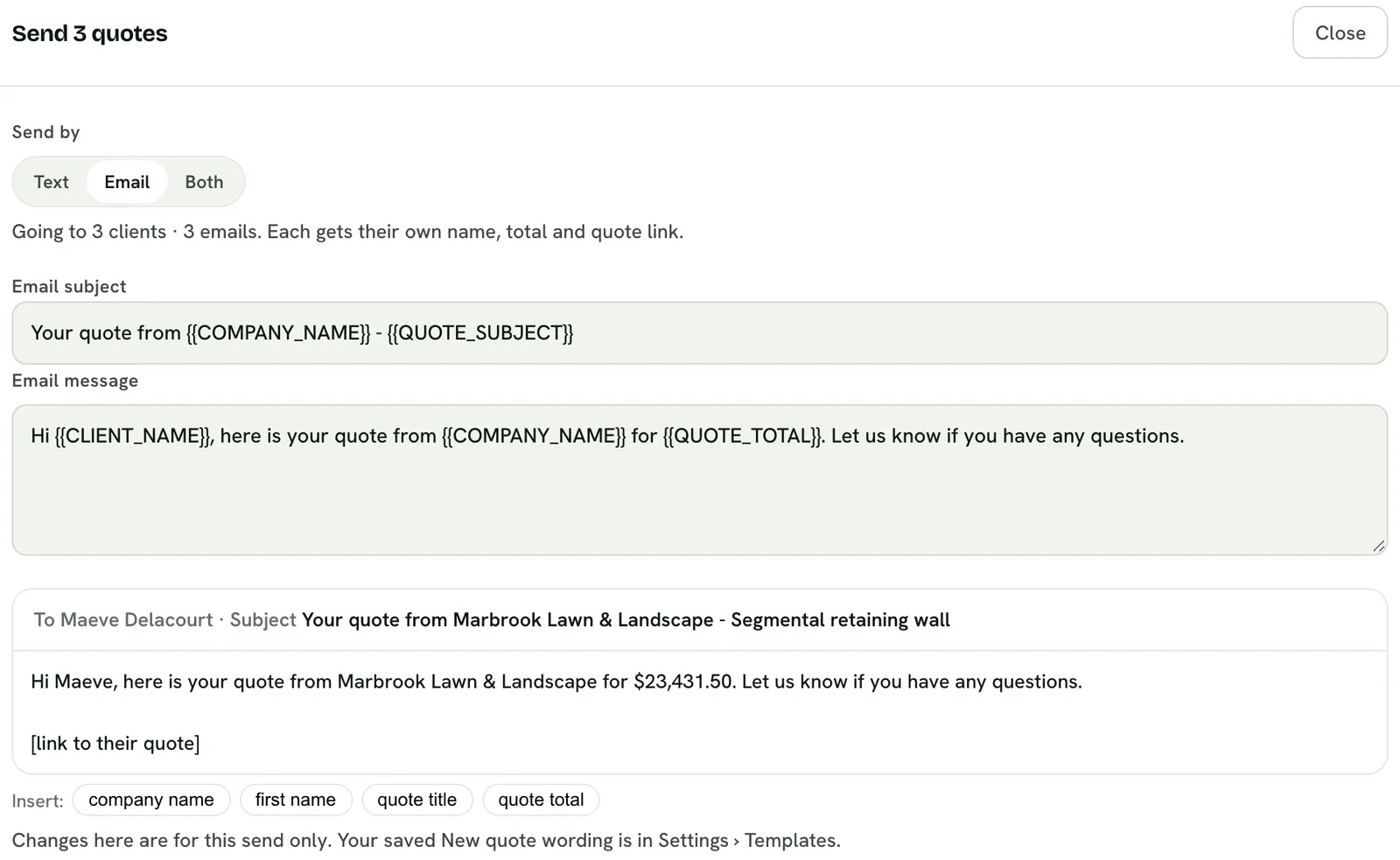
 Owners can now send several draft quotes in one go. Tick the drafts, click Send, and each client gets their own text or email with their name, total and a link to their quote.
 Open the picture full size
 Open the picture full size
What changed
- On Quotes, open Draft, tick the quotes you want to send and click Send
- Pick text, email or both, and change the wording for this send
- See what the first client will get before anything goes out
- Each client gets their own name, total and a link to their quote
- A draft that isn't ready is left out, and the window says why
WhereQuotes › Draft
Who it's forOwners
Anything to do?Nothing. It's live.
Common questions
Can I send several quotes at once?
Yes. On Quotes, open Draft, tick the quotes and click Send. One window sends each client their own message.
Does every client get the same message?
Each client gets their own name, quote total and a link to their own quote.
What if a quote is not ready to send?
It is left out and the window says why, like no client picked or no phone or email on file. Everything else still goes.
Related
On Platy OS
 Try it yourself. 14 days free, then $297 a month.Start free trial